
Appointment Reminder Text Examples for Service Businesses: 28 Copy-and-Paste Templates
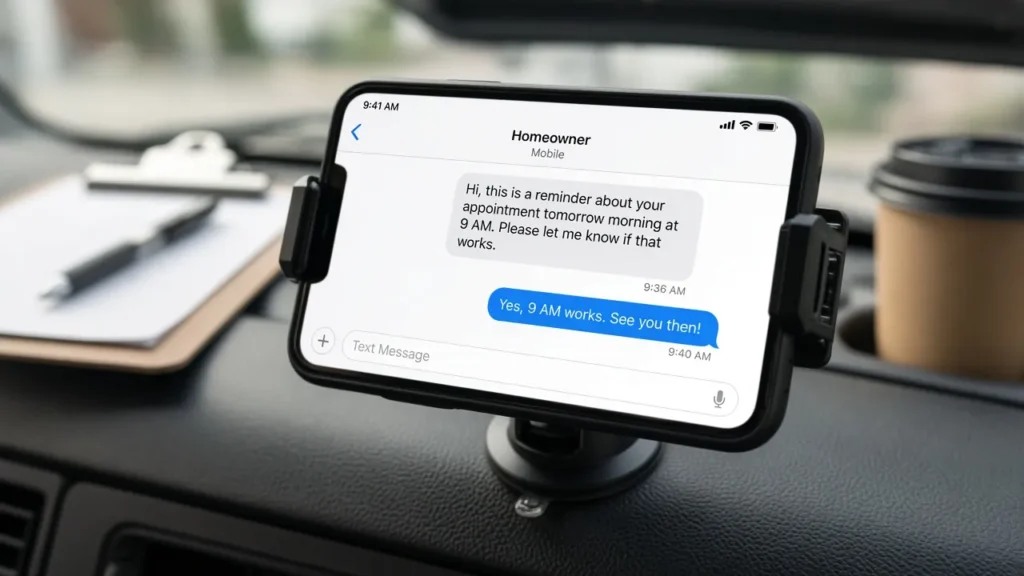
It is 7:40 a.m., your first job is at 9, and the client has forgotten you are coming. A two-line text the day before would have saved the trip. Below are appointment reminder text examples for service businesses that you can copy, paste and edit in most booking tools: confirmations, 48-hour, 24-hour and 2-hour reminders, on-the-way notices, reschedules, no-show follow-ups, deposit reminders, rebooking nudges, review requests and seasonal messages, with versions for cleaners, groomers, salons, detailers, lawn crews, pressure washers and HVAC or plumbing contractors.
Our pick
SimplyBook.me
Online booking with editable confirmation and reminder templates, so the messages on this page can go out automatically instead of being typed by hand every night.
- Email and SMS confirmation and reminder templates, with up to three reminder times per booking
- Optional “Book Soon” messages that invite clients back a set number of days after a visit (paid plans)
- Free plan and 14-day trial listed on the vendor’s pricing page; SMS credits are sold separately (check current pricing)
Affiliate link: we may earn a commission at no extra cost to you. Disclosure
How to use these reminder templates
Every template uses placeholders in square brackets. Swap them for real details or your booking tool’s merge tags. A few rules make any of these templates work better:
- Lead with your business name. Clients may not have your number saved.
- Put the date, time window and address up front. Those are the details people check.
- Give one clear action, such as reply C to confirm.
- Keep it short. A single SMS segment is 160 standard characters; longer messages are split and may cost more credits in some tools.
- Include opt-out wording on automated messages, such as “Reply STOP to opt out.” More on that in the compliance section below.
Reminder timing schedule by trade
Timing depends on how much prep a job needs and whether someone must be home. Treat this schedule as a starting point, and adjust once you see which messages get replies.
| Trade | Confirmation | Early reminder | Final reminder | Day of |
|---|---|---|---|---|
| House cleaning | At booking | 48 hours (prep, pets, access) | 24 hours | On-the-way text |
| Pet grooming (salon or mobile) | At booking | 48 hours (vaccines, matting notes) | 24 hours | 2 hours or on-the-way |
| Salons and barbers | At booking | Optional 48 hours for long services | 24 hours | 2 hours |
| Mobile detailing | At booking | 48 hours (water, power, parking) | 24 hours (weather check) | On-the-way text |
| Lawn care | At booking or season start | Not usually needed | Day before (gates, pets) | Optional “service complete” text |
| Pressure washing | At booking | 48 hours (move vehicles, close windows) | 24 hours (weather check) | On-the-way text |
| HVAC and plumbing | At booking | Optional for maintenance visits | 24 hours with arrival window | On-the-way text with tech name |
Confirmation texts to send at booking
The confirmation goes out the moment a job is booked. It gives the client an easy way to fix a wrong date before it becomes a no-show.
Hi [Name], it’s [Business]. You’re booked for [service] on [Day, Date] at [Time] at [Address]. Need to change it? [Reschedule link]. Reply STOP to opt out.
Thanks for booking with [Business], [Name]! Your [service] is set for [Date], arrival window [Time range]. We’ll text the day before. Questions? Reply here.
48-hour and 24-hour reminder texts
The 48-hour message is for prep. The 24-hour message is the real reminder, and it is where you ask for a confirmation reply.
48-hour prep reminders
Hi [Name], [Business] here. Your [service] is in 2 days ([Date], [Time]). Quick prep: [one prep step]. Need a new time? [Link]
24-hour reminders that ask for a reply
Reminder from [Business]: [service] tomorrow, [Date] at [Time]. Reply C to confirm or R to reschedule. Reply STOP to opt out.
Hi [Name], see you tomorrow at [Time] for your [service] with [Provider]. Running late or need to change? Text us here or call [Phone].
2-hour and on-the-way texts
Short same-day messages suit salons and barbers as well as mobile trades.
Hi [Name], your [service] at [Business] is at [Time] today. Parking: [tip]. See you soon!
[Business] update: [Tech name] is on the way and should arrive around [Time]. Please make sure [gate/garage/parking spot] is accessible.
Appointment reminder text examples for service businesses, by trade
A line that shows you know the job builds trust and heads off common problems. The trade-specific texts below cover the details that usually cause delays in each line of work.
House cleaners and maid services
Access and pets stall most cleans. For more on setting up booking as a one-person operation, see our guide to booking software for solo cleaners.
Hi [Name], [Business] here. Your clean is tomorrow, [Time]. Will you be home, or should we use [key/code/lockbox]? Please secure pets and let us know any rooms to skip.
Move-out clean reminder: [Date] at [Time]. Please have the unit empty and utilities on so we can clean appliances and fixtures. Reply C to confirm.
Pet groomers (salon and mobile)
Groomers often need vaccine records and coat notes before the appointment. Mobile groomers also need a level place to park and, depending on the setup, a power or water hookup. Our mobile pet grooming booking software guide covers tools that store pet profiles.
Hi [Name], [Pet name]’s groom with [Business] is [Date] at [Time]. Please have [Pet name] walked beforehand and let us know about any new mats, lumps or behavior changes.
Mobile grooming reminder: we’ll park at [Address] tomorrow at [Time]. We need about [space needed] of curb or driveway space. Reply C to confirm.
Salons and barbers
Hi [Name], see you tomorrow at [Time] with [Stylist] for [service]. Plan for about [duration]. Please arrive with [clean/dry hair, reference photos]. Need to move it? [Link]
[Business]: your chair is ready at [Time] today. If you’re running late, reply here so we can adjust.
Mobile detailers
Weather and parking make or break a detail. If clients book online, our guide to online booking for mobile detailing explains how to collect vehicle and address details up front.
Hi [Name], [Business] here. Your [package] detail is tomorrow at [Time]. Please park the [vehicle] where we can reach it, remove valuables, and tell us if we can use an outdoor outlet or spigot.
Weather check: rain is forecast for [Date]. Want to keep your [Time] detail or move it? Reply K to keep or R to reschedule.
Lawn care crews
[Business]: we’re scheduled to service [Address] tomorrow. Please unlock the gate and bring pets inside. If rain delays us, we’ll text a new day.
Hi [Name], your lawn was serviced today. Notes: [note]. Next visit: [Date]. Reply with any questions.
Pressure washing
Hi [Name], [Business] is coming [Date] at [Time] to wash your [surface]. Please close windows, move cars off the driveway, and clear patio furniture if you can. Reply C to confirm.
HVAC and plumbing contractors
Homeowners want an arrival window and a name.
[Business]: your [service] is scheduled for [Date] between [Time range]. Please clear access to the [furnace/water heater/sink]. Reply R to reschedule.
[Tech name] from [Business] is on the way and should arrive in about [minutes]. [Optional: photo or vehicle description]. Reply here with gate or parking notes.
Reschedule and no-show follow-up texts
Keep these neutral. The goal is to get the job back on the calendar, not to scold anyone.
Hi [Name], we’ve moved your [service] to [New date] at [Time]. If that doesn’t work, pick another time here: [Link].
Hi [Name], we missed you today at [Time]. Everything OK? You can rebook here: [Link]. As a reminder, our policy is [cancellation policy].
Deposit and payment reminder texts
If you take deposits, say so clearly in the confirmation and again before the appointment. Only send payment links from a system you trust, and never ask for card numbers by text.
Hi [Name], to hold your [Date] [service], please pay the [deposit amount] deposit here: [Secure link]. Unpaid deposits are released after [time limit].
[Business]: thanks for choosing us! Your balance of [amount] for today’s [service] can be paid here: [Secure link]. Receipt sent by email.
Rebooking, review request and seasonal texts
These messages bring clients back. They read as more promotional than the other reminder messages on this page, which matters for consent (see below).
Rebooking
Hi [Name], it’s been [number] weeks since [Pet name]’s last groom. Want us to save a spot? [Link]. Reply STOP to opt out.
[Business]: ready for your next [haircut/clean/detail]? We have openings on [Days]. Book here: [Link]. Reply STOP to opt out.
Review request
Thanks for having us today, [Name]! If you were happy with your [service], a quick review helps a lot: [Review link]. Not happy? Reply here and we’ll make it right.
Seasonal
[Business]: spring schedules fill fast. Want to book your [gutter clean/house wash/AC tune-up] before [Month]? Reply YES and we’ll send times. Reply STOP to opt out.
Consent and compliance basics for reminder texts
This is general information, not legal advice. Before you send texts like these at scale, check the rules with your texting provider or an attorney.
- Get permission to text. The FCC’s consumer guide on robocalls and robotexts explains that autodialed texts to mobile phones generally require prior consent, that commercial texts require written consent, and that people can opt out at any time in any reasonable manner. A clear checkbox on your booking form is a simple way to collect it.
- Keep reminders separate from promotions. A reminder about a booked job is informational. A seasonal offer or rebooking push reads as marketing and may need stronger consent.
- Make opting out easy and honor it. The CTIA Messaging Principles and Best Practices (PDF) say senders should support opt-out requests and acknowledge them. “Reply STOP to opt out” is the familiar wording.
- Register business numbers. U.S. carriers generally require businesses texting from standard 10-digit numbers to register first. Your texting provider will walk you through it.
Sending these texts automatically
Past a few jobs a day, loading these templates into a booking tool saves time and catches the ones you forget.
- SimplyBook.me lets you edit confirmation and reminder templates under its Email and SMS settings and set up to three reminder times, according to its help center. SMS needs credits bought separately or your own SMS gateway, so check current pricing. Its “Book Soon” feature sends rebooking messages after a visit on paid plans. See our SimplyBook.me review for service businesses.
- GoHighLevel suits owners who want reminders, review requests and follow-up campaigns in automated workflows alongside a CRM. Its pricing page notes that SMS and phone usage are billed on top of the plan.
- Unitel Voice is for sending manual texts like on-the-way updates from a business number instead of your personal cell. Its site says texting is included with every plan once the number passes carrier registration, which requires a registered business with an EIN.
Turn these templates into automatic reminders
SimplyBook.me lets clients book online and sends your edited confirmation and reminder messages at the times you choose. Start on the free plan or trial, paste in two or three templates from this page, and check current SMS credit pricing before you switch texts on.
Affiliate link. Disclosure
FAQ: appointment reminder text examples for service businesses
How many reminder texts should I send before an appointment?
A confirmation at booking and one reminder the day before covers most jobs. Add a 48-hour prep text when preparation matters and an on-the-way text for mobile work.
What should every appointment reminder text include?
Your business name, the service, the date and time or arrival window, the location if it is not obvious, and one action, such as reply to confirm or a reschedule link. Automated messages should also include opt-out wording.
Are review requests and rebooking texts treated like reminders?
Not always. They promote future business, so treat them as marketing: get clear consent, include “Reply STOP to opt out,” and stop immediately when a client opts out.
Can I use these reminder templates in any booking tool?
Yes. Most booking tools ship with default templates you can edit. Paste in the wording, replace the bracketed placeholders with your tool’s merge tags, and send yourself a test before going live.
Sources and editorial approach
Checked November 1, 2026. Original templates written for this guide; not legal advice. Verify current pricing and terms with each provider.
- SimplyBook.me pricing page (plans, free trial, SMS credits)
- SimplyBook.me help: adjusting notifications
- SimplyBook.me help: Book Soon notification system
- GoHighLevel pricing page
- Unitel Voice business text messaging and texting registration requirements
- FCC: Stop unwanted robocalls and texts
- CTIA Messaging Principles and Best Practices (PDF)